
Best 3D Printers for Small Business (2026)
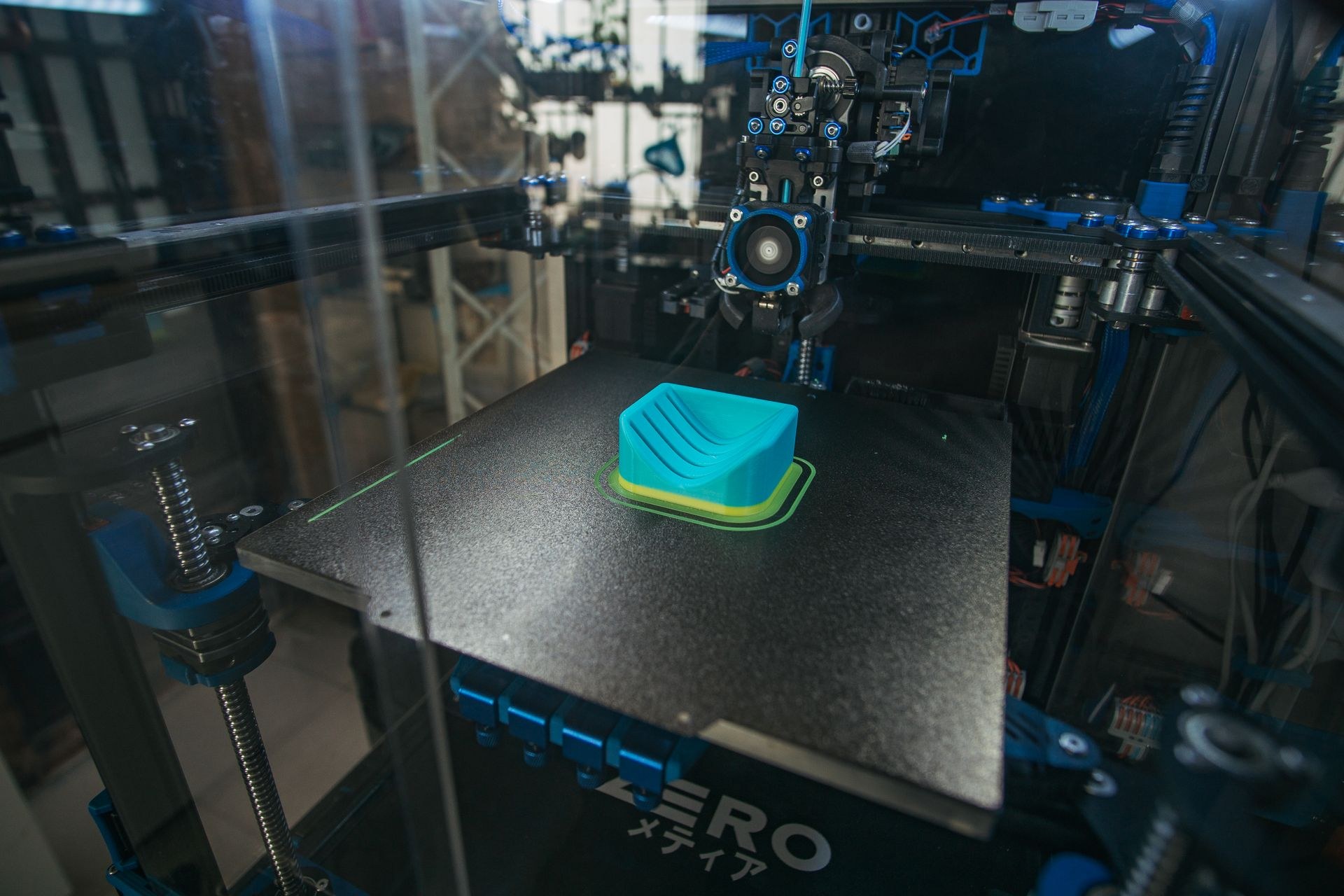
A 3D printer earns its keep in a small business very differently from a hobby bench. A hobbyist can tolerate a failed print, a slow Sunday job, and an evening of tinkering. A seller cannot: a failed print is a missed ship date, a slow printer is a hard ceiling on orders per week, and tinkering time is unpaid labor. The products that sell well from printers — personalized gifts, planters, cookie cutters, cosplay parts, jigs, replacement parts, desk accessories, and small-batch prototypes for clients — all share one economics rule: filament is cheap, machine time and failures are what cost you money.
What matters for a business: reliability and first-layer success (auto-calibration is now the single biggest labor saver), print speed at real quality settings (not headline numbers alone), build volume matched to your product list, enclosure and nozzle temperature if you want to sell durable outdoor or functional parts in ASA, ABS, PETG-CF, or nylon blends, and multi-color capability if your products need it — with the honest warning that multi-color printing wastes filament on every color change. The six below run from a sub-$200 way to test an idea to enclosed CoreXY machines that can anchor a small print farm.
The short answer
- Cheapest way to test a product idea: Creality Ender-3 V3 SE (~$180) — 220x220x250mm, 250mm/s, CR Touch auto-leveling and a Sprite direct extruder. Low risk, real learning. Check price on Amazon →
- Best overall for most sellers: Bambu Lab A1 (~$399) — 256x256x256mm, full-auto calibration, active flow compensation, quiet running, and optional AMS lite multi-color. Check price on Amazon →
- Best enclosed value: ELEGOO Centauri Carbon (~$350) — enclosed CoreXY, 500mm/s, 320°C nozzle, built-in camera, ready to print out of the box. Check price on Amazon →
- Best for a shared or customer-facing space: FLASHFORGE Adventurer 5M Pro (~$379) — enclosed, 600mm/s, camera monitoring, and HEPA plus activated-carbon filtration. Check price on Amazon →
- Best for carbon-fiber filaments: Creality K1C (~$439) — enclosed, 600mm/s, AI camera, 300°C printing, built for PLA-CF, PA-CF, and PET-CF work. Check price on Amazon →
- Best print-farm workhorse: Bambu Lab P1S (~$500) — enclosed CoreXY, 500mm/s, 256x256x256mm, and up to 16 colors/materials with added AMS units. Check price on Amazon →
Creality Ender-3 V3 SE — the cheapest way to test an idea
The V3 SE is the low-risk entry point: around $180, a 220x220x250mm build volume, up to 250mm/s, CR Touch auto-leveling, a Sprite direct-drive extruder that handles PLA, PETG, and flexible TPU 95A, dual Z-axis, and auto filament loading. It arrives partly assembled and is genuinely quick to get printing. For a seller, its job is validation: list a product, print the first orders, and learn whether anyone buys before you spend enclosed-CoreXY money. Its ceiling is equally clear — open frame, no enclosure, no camera, and slower real-world throughput than every CoreXY machine below.
Honest pros:
- ~$180 — the lowest entry price on this list by a wide margin
- Auto-leveling and auto filament load/unload — the beginner failure points are handled
- Direct-drive extruder — PETG and TPU are usable, not just PLA
- Huge Creality community — spare parts and fixes are easy to find
Honest cons:
- Open frame — ABS and ASA warp, and dust and drafts reach the print
- 250mm/s headline speed is well below the 500–600mm/s CoreXY machines
- No Wi-Fi camera monitoring and no enclosure — not a leave-it-running farm machine
Bambu Lab A1 — the best overall pick for most sellers
The A1 is the machine most small sellers should start with if the budget allows it. The 256x256x256mm volume covers most sellable products, full-auto calibration handles bed leveling, Z-offset, vibration compensation, and flow, and active flow-rate compensation keeps walls consistent across a long print run — the detail customers actually see. It prints at up to 500mm/s, runs at ≤48 dB in its quiet mode, has a quick-swap nozzle, and pairs with the AMS lite if you later want up to 4-color products. The honest framing: buy the printer-only version to validate, add AMS lite only when a product you sell needs color — multi-color printing adds purge waste and print time to every job.
Honest pros:
- Full-auto calibration — first layers are repeatable, which is what a business actually needs
- 256mm cube volume and 500mm/s — bigger and faster than the budget tier
- Active flow compensation and tangle/runout monitoring reduce failed overnight prints
- Quiet enough for a home office or studio sellers actually work in
Honest cons:
- Open frame — not the pick for ABS, ASA, or other warp-prone, fume-producing filaments
- Multi-color requires the AMS lite (Combo) version and adds filament waste per color change
- Best experience lives inside Bambu Studio and MakerWorld — a more closed ecosystem than Creality or Prusa-style open workflows
ELEGOO Centauri Carbon — the enclosed value pick
The Centauri Carbon is the price disruptor on this list: a fully enclosed CoreXY machine for around $350, with a 256x256x256mm volume, up to 500mm/s and 20,000mm/s² acceleration, a 320°C hardened nozzle, a built-in chamber camera, and a rigid die-cast frame. It arrives fully assembled and pre-calibrated, so the first sellable print can happen the day it lands. The enclosure and nozzle temperature open up carbon-fiber reinforced and other advanced filaments that the open-frame machines cannot handle well. The trade-off versus Bambu is ecosystem maturity: Elegoo's slicer and model library are newer, and multi-color is not this model's story — this is a fast, enclosed, single-color production machine.
Honest pros:
- Enclosed CoreXY at ~$350 — the cheapest route here to advanced filaments
- 320°C nozzle and enclosed chamber — carbon-fiber reinforced filaments are in scope
- Fully assembled and pre-calibrated — no build weekend before the first order
- Built-in camera and dual-sided plate, with a PLA-specific surface for clean first layers
Honest cons:
- Single-color printing — no AMS-style multi-color system on this model
- Newer ecosystem — fewer proven seller profiles and community fixes than Bambu or Creality
- Enclosed does not mean fume-free — still ventilate when printing ABS, ASA, or composites
FLASHFORGE Adventurer 5M Pro — best for a shared space
The 5M Pro earns its place on one differentiator the others do not match at this price: filtration. Its enclosed chamber pairs HEPA13 and activated-carbon filters with a built-in camera, remote monitoring, and quiet ~50 dB operation, which matters if the printer runs in a retail shop, classroom-adjacent studio, or a home where other people breathe the same air. Underneath, it is a fast CoreXY machine — up to 600mm/s, one-click auto-leveling, a 280°C direct extruder, and both 0.4mm and 0.6mm quick-detach nozzles in the box. The compromise is volume: 220x220x220mm is the smallest cube here, so check your product dimensions before choosing it.
Honest pros:
- HEPA plus activated-carbon filtration — the responsible pick for shared or customer-facing spaces
- 600mm/s CoreXY speed with one-click auto-leveling
- Camera monitoring and remote control included, not an add-on
- Two nozzle sizes included — 0.6mm speeds up large, low-detail production parts
Honest cons:
- 220x220x220mm volume — the tightest on this list; large products will not fit
- Filtration reduces particles and odor — it is not a substitute for ventilation with high-fume filaments
- Smaller seller community than Bambu or Creality for troubleshooting
Creality K1C — best for carbon-fiber and functional parts
The K1C is Creality's enclosed speed machine tuned for engineering filaments: up to 600mm/s, a 300°C all-metal hotend, a steel-tipped nozzle made to survive abrasive carbon-fiber blends, an AI camera that watches for failures, an activated-carbon filter, and a switchable silent mode. Its 220x220x250mm volume suits functional products — brackets, jigs, enclosures, drone and RC parts, and custom replacement parts — better than large decor. If your business plan is durable parts customers use rather than objects they display, this is the most focused tool here. If your plan is colorful gifts and decor, the A1 or P1S with AMS is the better spend.
Honest pros:
- Built for carbon-fiber filaments — hardened nozzle path and 300°C hotend
- 600mm/s enclosed CoreXY with AI camera failure monitoring
- Activated-carbon filter and a silent mode for after-hours running
- Direct-drive extruder handles flexible and engineering filaments
Honest cons:
- 220mm-wide build plate — narrower than the 256mm Bambu and Elegoo machines
- No multi-color system — functional parts are the point, not colorful products
- Abrasive filaments still wear nozzles and gears — budget them as consumables
Bambu Lab P1S — the print-farm workhorse
The P1S is the step-up for a seller whose first printer is already running most of the day. It is a fully enclosed CoreXY machine with the same 256x256x256mm volume as the A1, up to 500mm/s with 20,000mm/s² acceleration, auto bed leveling, a built-in camera for monitoring and timelapse, and support for up to 16 colors or materials when you add AMS units. The enclosure makes ABS, ASA, and PETG production more consistent, and the P1S is the machine small farms commonly buy in multiples because setup is fast and results repeat from unit to unit. Buy the printer-only version for single-material production; the Combo's AMS only pays if your products genuinely need in-print color or material changes.
Honest pros:
- Enclosed CoreXY with 256mm cube — production volume plus advanced-filament capability
- Repeatable auto-calibration — the reason farms standardize on one model
- Scales to 16 colors/materials with added AMS units when a product line proves it needs them
- Camera monitoring and a mature Bambu Studio workflow for running jobs back-to-back
Honest cons:
- ~$500 printer-only, and AMS units add real cost on top — price the configuration you will actually use
- Carbon and glass-fiber reinforced filaments are not the recommended use — pick the K1C or Centauri Carbon for abrasive-first work
- Like the A1, the smoothest path is Bambu's ecosystem, not a fully open toolchain
Side-by-side
| Ender-3 V3 SE | Bambu Lab A1 | ELEGOO Centauri Carbon | FLASHFORGE 5M Pro | Creality K1C | Bambu Lab P1S | |
|---|---|---|---|---|---|---|
| Typical price | ~$180 | ~$399 | ~$350 | ~$379 | ~$439 | ~$500 |
| Build volume | 220x220x250mm | 256x256x256mm | 256x256x256mm | 220x220x220mm | 220x220x250mm | 256x256x256mm |
| Max speed | 250mm/s | 500mm/s | 500mm/s | 600mm/s | 600mm/s | 500mm/s |
| Enclosed | No | No | Yes | Yes, filtered | Yes, filtered | Yes |
| Multi-color | No | Optional AMS lite | No | No | No | Optional AMS, up to 16 |
| Best for | Testing an idea | Most sellers | Enclosed value | Shared spaces | Functional CF parts | Print farms |
How to choose
Price the product, then the printer. Work backwards from what you will sell: product size sets the minimum build volume, material sets whether you need an enclosure and a hardened nozzle, and weekly order volume sets how much speed is worth. A $180 printer that proves a product sells is a better business decision than a $500 printer bought on a guess — and a $500 printer is cheap the month your $180 one becomes the bottleneck.
Budget the whole workstation. Filament, a filament dryer, spare nozzles and build plates, glue stick or plate adhesive, calipers, finishing tools, packaging, and a spare-parts kit routinely add $150–$300 in the first months. Carbon-fiber filaments also consume hardened nozzles faster — treat them as a per-roll cost, not a surprise.
Do the failure math honestly. Your real cost per sellable part is filament plus machine time plus failed prints plus your finishing and packing time. Auto-calibration, cameras, and runout sensors are not gadgets on a business machine — every one of them converts directly into fewer remakes and fewer late orders.
Respect the license and the air. A model you downloaded is not automatically yours to sell — check the designer's commercial license for every file, every time, and expect to pay for commercial tiers on popular models. And ventilate: enclosed and filtered is better, but ABS, ASA, and resin-adjacent workflows still belong in a ventilated space away from living areas.
Complete the seller setup. Printed products still need finishing, photographing, and shipping: our product photography lighting guide makes finished parts look professional in listings, our packaging supplies guide covers shipping them safely, and our printers for Etsy sellers guide covers the labels, inserts, and paper goods that go in the box.
FAQ
Can a small business actually make money with a desktop 3D printer?
Yes, when the product is designed or personalized in a way mass production cannot copy cheaply — names, custom sizes, local team or event work, replacement parts, and rapid client prototypes. Competing on generic downloaded trinkets against large print farms is the model that fails. Your margin lives in customization, speed of delivery, and designs you have the license — or the original files — to sell.
How long does a sellable print take?
It depends on size, layer height, and infill, not the headline speed alone. A small personalized item might run 1–3 hours; a large, dense functional part can run most of a day. Quote delivery from your slicer's estimate plus finishing time, and batch overnight printing only on machines with the calibration and monitoring to run unattended safely.
Do I need multi-color printing to sell products?
Only if the product's value is in-print color — signs, logos, and character goods are the common cases. Painted, single-color, and material-driven products sell well without it, and multi-color adds purge waste and time to every job. Add an AMS when a proven product needs it, not before.
FDM or resin for a small business?
Everything on this list is FDM (filament), which is the practical default for sellable goods: cheaper material, larger parts, no resin washing and curing workflow, and no liquid-resin handling in a home or shop. Resin wins for ultra-fine miniature detail, but it adds ventilation, gloves, wash/cure equipment, and a more demanding safety routine per part.