Best Printers for Etsy Sellers (2026)
Every Etsy seller prints something: shipping labels, packing slips, thank-you cards, stickers, art prints, or sublimation designs. The printer you pick decides how much each order costs you and how good your products look. The wrong printer bleeds you on ink cartridges; the right one pays for itself in a busy quarter.
What matters for a seller: cost per page (tank printers beat cartridge printers by a mile), print quality for your product type (stickers and art prints need real color; packing slips just need black and white), and whether it handles your media (sticker paper, cardstock, 13-inch art prints). The six below cover every kind of Etsy shop, from "I just need labels" to "I sell gallery-quality art prints."
The short answer
- Best overall for sellers: Canon PIXMA G7020 MegaTank (~$526) — refillable ink tanks, print/scan/copy/fax with an auto document feeder. The do-everything workhorse for a home print station. Check price on Amazon →
- Best for stickers & color prints: Epson EcoTank ET-2850 (~$310) — refillable tanks, borderless printing, and cheap color pages. Check price on Amazon →
- Best for shipping labels & packing slips: Brother HL-L2460DW (~$180) — monochrome laser with duplex. Fast, and toner lasts thousands of pages. Check price on Amazon →
- Best all-in-one for paperwork: HP OfficeJet Pro 9125e (~$310) — wireless all-in-one built for small business document volume. Check price on Amazon →
- Best for sublimation: Sawgrass SG500 bundle (~$660) — prints sublimation transfers for mugs, shirts, and tumblers with inks and paper included. Check price on Amazon →
- Best for art prints: Canon PIXMA PRO-200S (~$475) — 13-inch wide-format, 8-color dye ink. Gallery-quality prints up to 13x19. Check price on Amazon →
Canon PIXMA G7020 MegaTank — the do-everything workhorse
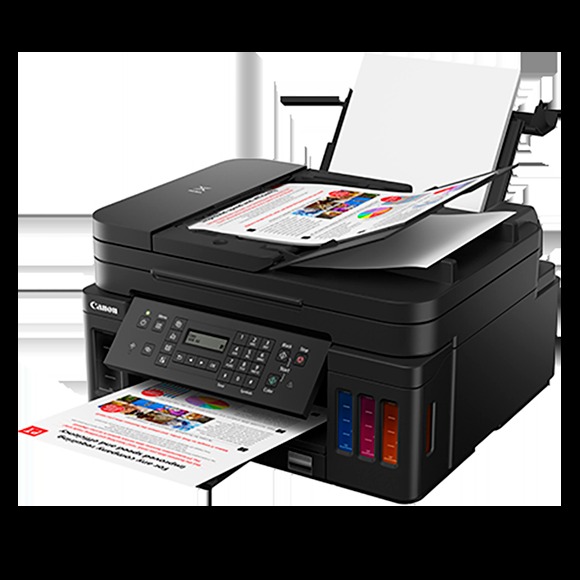
The G7020 is the printer for sellers who print a little of everything: labels, invoices, stickers, and documents. It prints, scans, copies, and faxes, with an auto document feeder for scanning multi-page documents hands-free. The refillable MegaTank system means you pour ink from bottles instead of buying cartridges — ink costs drop dramatically, which is the whole point when you print every day.
Honest pros:
- Refillable ink tanks — far lower cost per page than cartridge printers
- Print, scan, copy, fax with an auto document feeder — one machine for the whole desk
- Wireless with mobile printing — print labels from your phone
- Good color quality for stickers, thank-you cards, and branding inserts
Honest cons:
- ~$526 — a real investment compared to budget cartridge printers
- It's a big machine — needs real desk space
- Not a photo printer — fine for stickers and inserts, but art-print sellers should look at the PRO-200S below
Epson EcoTank ET-2850 — the sticker seller's favorite
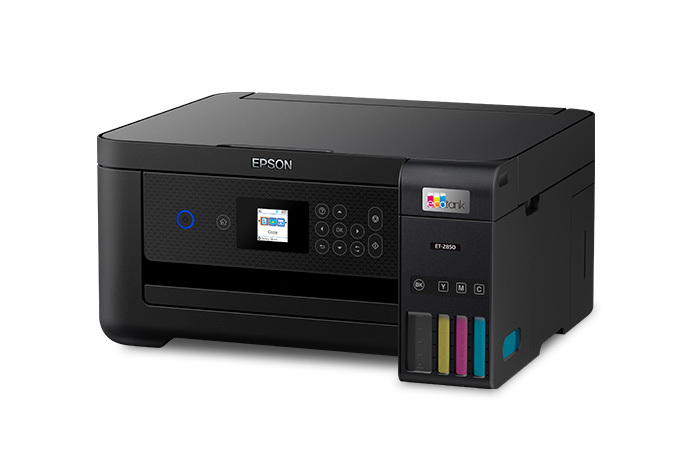
The EcoTank line is famous in the sticker and printables world, and the ET-2850 is the sweet spot: wireless, all-in-one, and refillable ink tanks that print thousands of pages from one bottle set. If your shop revolves around stickers, planner inserts, or printables, this is the printer that keeps your ink costs near zero while delivering the vivid color those products demand. Borderless printing means your sticker sheets and prints come out edge-to-edge.
Honest pros:
- Refillable EcoTank — color pages for a fraction of cartridge costs
- Borderless printing — professional-looking sticker sheets and prints
- ~$310 — the cheapest way into tank printing
- Handles sticker paper and cardstock well for craft use
Honest cons:
- No auto document feeder — multi-page scanning is manual
- Print speeds are modest — fine for a craft studio, not for high-volume office work
- First-time tank filling is a little messy — follow the instructions and wear gloves
Brother HL-L2460DW — the label and packing-slip machine
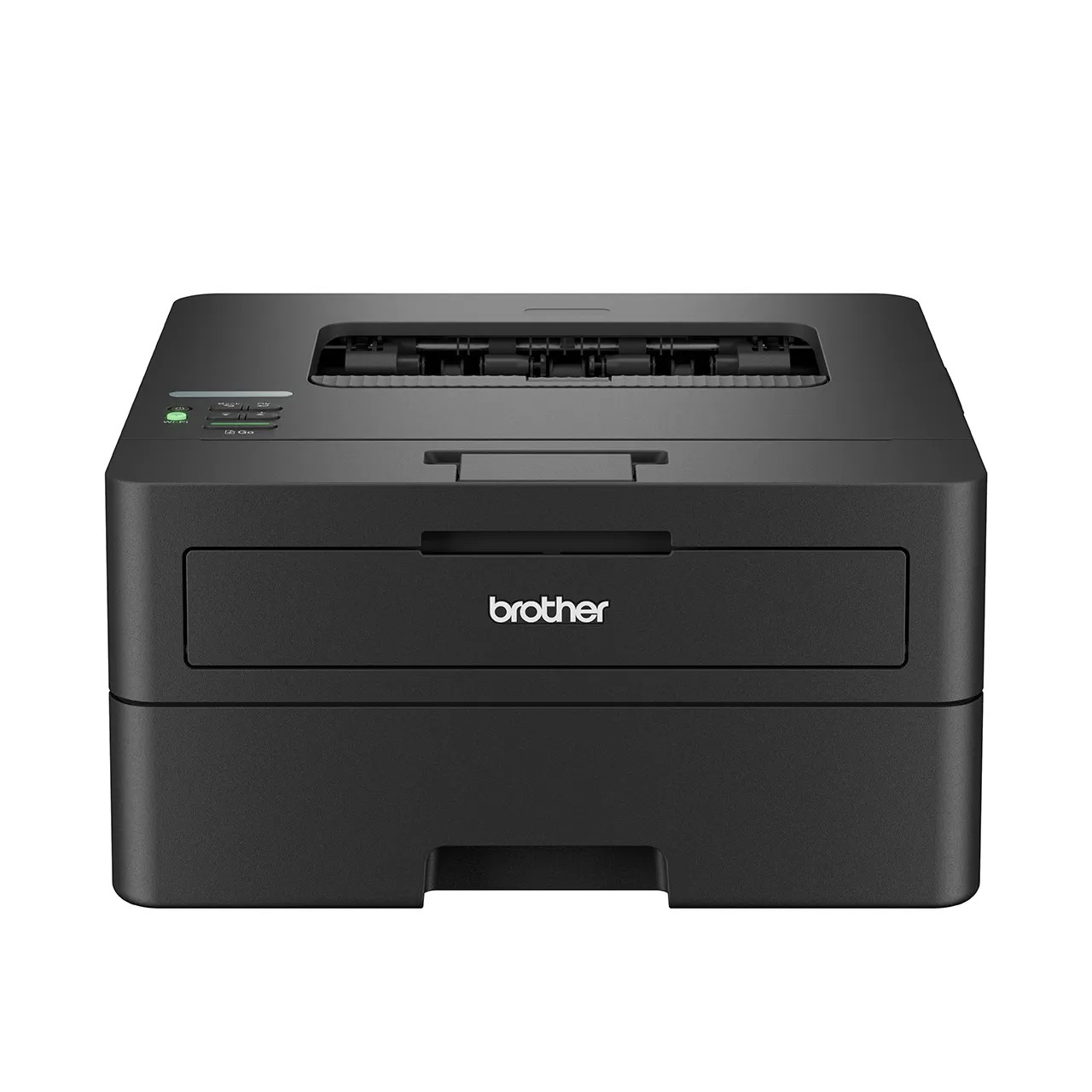
If all you print is black and white — shipping labels, packing slips, invoices — a monochrome laser is the cheapest printer you will ever own. The HL-L2460DW prints fast, prints double-sided (duplex), and a single toner cartridge lasts thousands of pages. At around $180, it can pay for itself in a month of avoided ink-cartridge purchases if you're currently printing labels on an inkjet.
Honest pros:
- ~$180 — the cheapest printer on this list
- Toner lasts thousands of pages — no dried-out inkjet cartridges between busy seasons
- Fast monochrome printing with duplex for invoices and paperwork
- Compact and reliable — Brother lasers are famous for just working
Honest cons:
- Black and white only — no stickers, no color branding inserts
- Not a photo printer — art prints are off the table
- Laser toner prints sit on the page — for glossy sticker work, you still need an inkjet
HP OfficeJet Pro 9125e — the small-business all-in-one
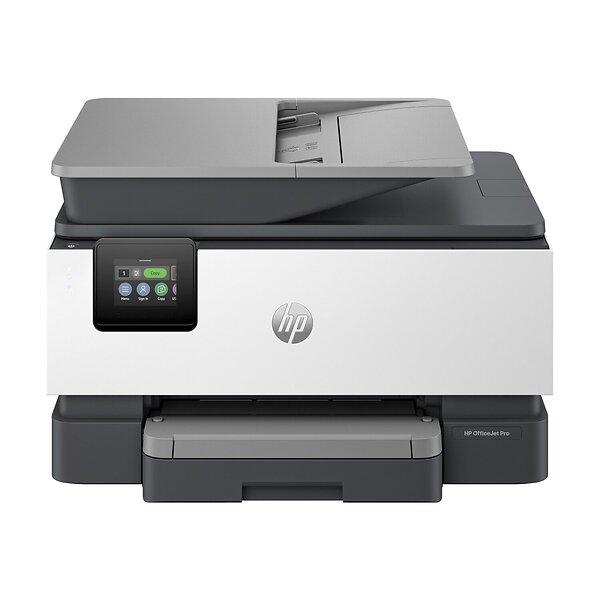
The OfficeJet Pro 9125e is built for the business side of your shop: invoices, packing slips, product sheets, and the occasional color document. It's a wireless all-in-one with the document handling and speed a busy seller needs during the holiday rush. If your printing is mostly paperwork with some color, and you want one dependable machine, this is the safe pick.
Honest pros:
- Built for small-business document volume — fast and dependable
- Wireless all-in-one with mobile printing
- Strong print quality on business documents and color paperwork
- ~$310 — mid-range price for a business-grade machine
Honest cons:
- Uses ink cartridges — higher cost per page than the tank printers above
- Not built for art-quality color — sticker and art-print sellers should pick a tank printer or the PRO-200S
- Ongoing ink costs add up at high volume — calculate your monthly page count first
Sawgrass SG500 — the sublimation starter
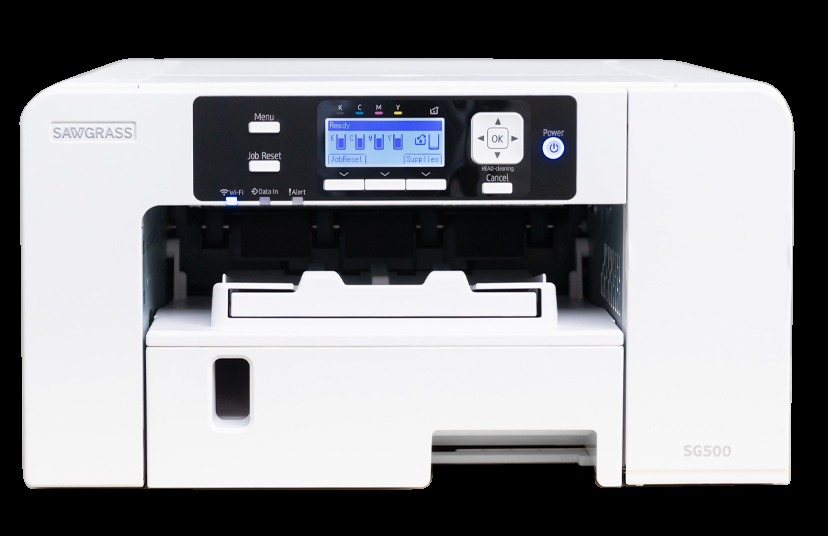
Sublimation sellers print designs onto transfer paper, then heat-press them onto mugs, shirts, tumblers, and signs. The Sawgrass SG500 is the standard entry point: it ships as a bundle with SubliJet UHD sublimation inks and TruePix transfer paper, so you can print your first transfers the day it arrives. If your product line is drinkware, apparel, or custom blanks, this is the printer the whole category runs on.
Honest pros:
- Purpose-built for sublimation — regular inkjets can't do this at all
- Bundle includes sublimation inks and transfer paper — ready out of the box
- The standard in its category — endless tutorials, profiles, and community support
- Opens high-margin product lines: mugs, tumblers, shirts, signs
Honest cons:
- ~$660 — the most expensive printer on this list, and that's before a heat press
- You still need a heat press and sublimation blanks — the printer is only half the setup
- Sublimation inks cost more than regular ink — factor it into your product pricing
Canon PIXMA PRO-200S — the art-print printer
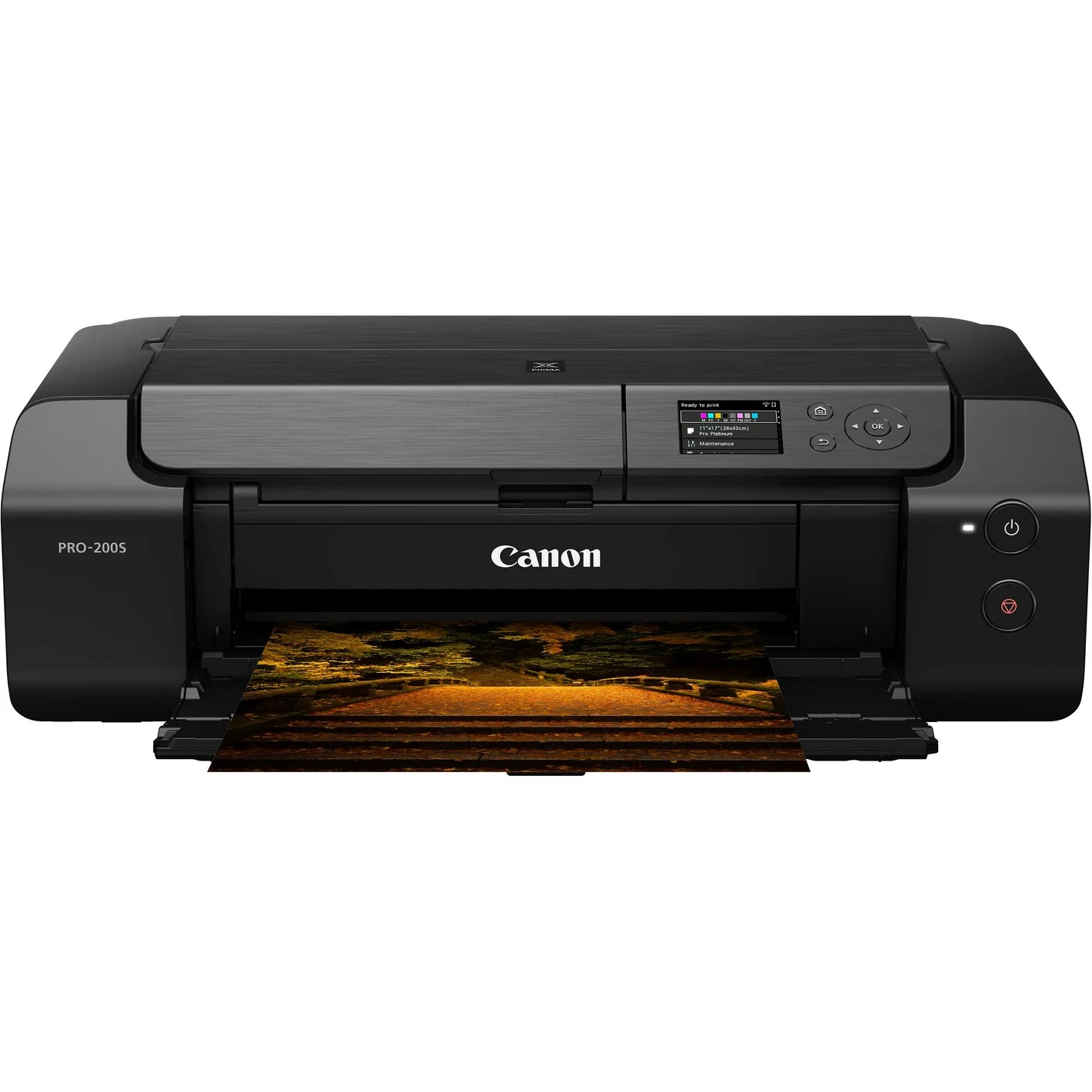
If you sell art prints, photography, or anything where color fidelity is the product, the PRO-200S is the printer. Eight-color dye ink and 13-inch wide-format printing mean gallery-quality prints up to 13x19 inches from your home studio. This is the current model of Canon's beloved PRO-200 line — the older Pro-200 is effectively unavailable new, so the 200S is the one to buy.
Honest pros:
- 8-color dye ink — rich, accurate color for art and photo prints
- 13-inch wide format — print up to 13x19 inches at home
- The current model — the older PRO-200 is hard to find new
- ~$475 — serious quality without the pro-lab price tag
Honest cons:
- Dye inks fade faster than pigment inks — use archival paper and framing for longevity
- It's a photo printer, not an office printer — no scanning, copying, or faxing
- Ink costs are real at this quality level — price your prints accordingly
Side-by-side
| Canon G7020 | Epson ET-2850 | Brother HL-L2460DW | HP 9125e | Sawgrass SG500 | Canon PRO-200S | |
|---|---|---|---|---|---|---|
| Typical price | ~$526 | ~$310 | ~$180 | ~$310 | ~$660 | ~$475 |
| Print type | Ink tank, color | Ink tank, color | Laser, mono | Inkjet, color | Sublimation | Dye ink, color |
| All-in-one | Yes (+ADF) | Yes | No | Yes | No | No |
| Best for | Everything | Stickers, color | Labels, slips | Paperwork | Mugs, apparel | Art prints |
| Running cost | Very low | Very low | Low | Medium | Higher | Higher |
How to choose
Start with what you print most. Shipping labels and packing slips only? The Brother laser is the cheapest printer you'll ever own. Stickers and printables? Pick a tank printer (Epson or Canon) and your ink costs drop to almost nothing. Art prints? Nothing here beats the PRO-200S. Trying to do everything with one machine? The Canon G7020 covers it.
Think in cost per page, not sticker price. A $100 cartridge printer that eats $60 in cartridges a month is more expensive than a $526 tank printer within a year. Add up your monthly pages — if you print daily, a tank printer pays for itself fast.
Build the full seller setup. If you print shipping labels in volume, a dedicated thermal label printer is even cheaper per label than the Brother laser. Pair sublimation with a cutting machine for full custom-product workflows, and stock up with our packaging supplies guide so every order ships looking professional.
FAQ
Inkjet or laser for an Etsy shop?
Print color (stickers, art, branding inserts) and you need inkjet. Print only black-and-white labels and slips and laser wins on speed and running cost. Many busy sellers eventually own both: a laser for labels, an inkjet for color.
Are tank printers really cheaper?
Yes, dramatically. A bottle of tank ink prints thousands of pages for the price of one or two cartridge sets. If you print more than a few pages a day, a tank printer pays for itself — usually within the first year.
Can I print stickers on a regular printer?
Yes — buy inkjet-compatible sticker paper, use your printer's photo or best-quality setting, and let the sheets dry fully before cutting. The Epson ET-2850 is the favorite in sticker communities for exactly this job.
Do I need a special printer for sublimation?
Yes. Sublimation needs sublimation inks and a printer designed for them — a regular inkjet can't be converted reliably. The Sawgrass SG500 is the standard starter, and you'll also need a heat press and sublimation blanks.